GPS Tracking
How Tracking Works
Pebbls records your position with the phone's GPS while the app is in the background, roughly every 15 metres you move, and sends them to Pebbls every few minutes. Your route appears on the app map straight away and on the website within a few minutes.
Starting Tracking
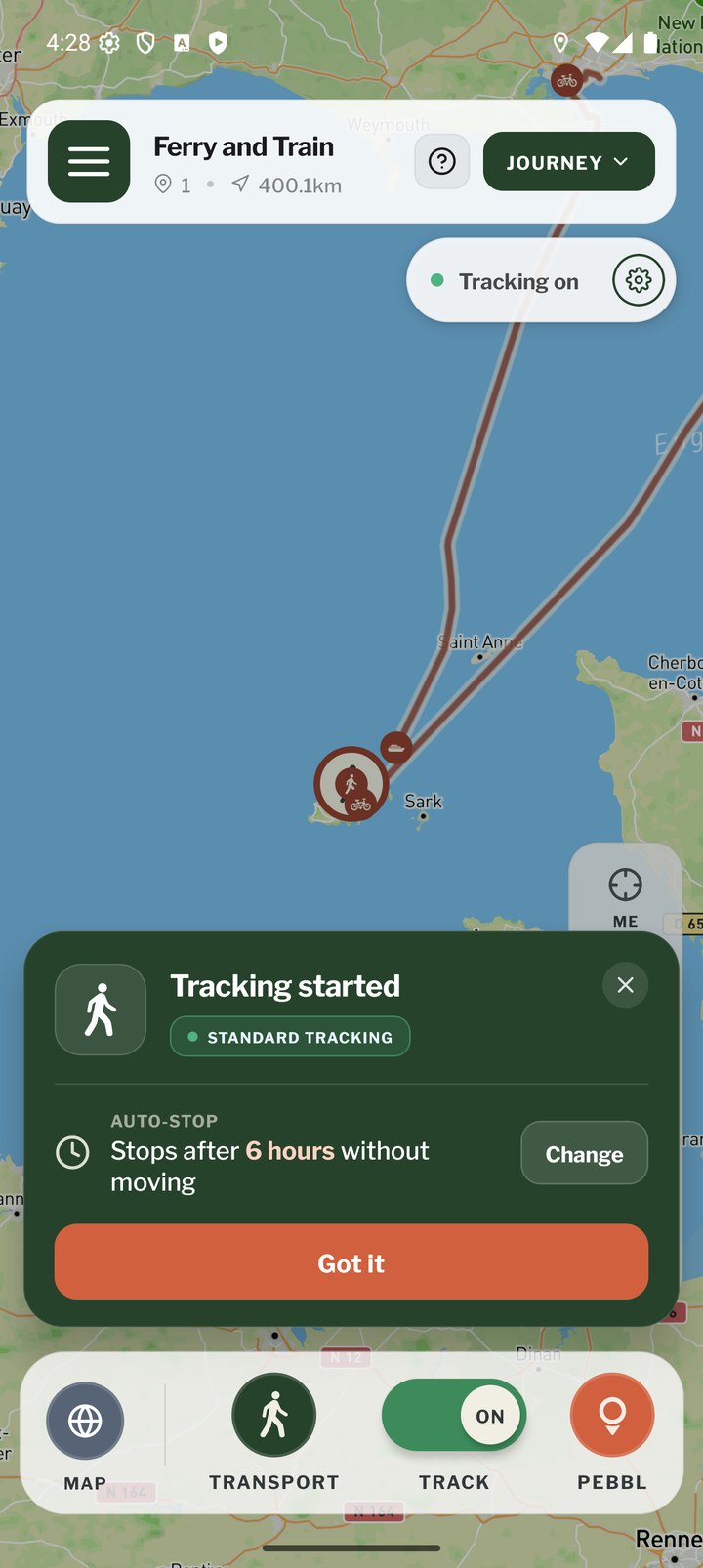
Tap TRACK in the bottom bar or Turn on in the tracking status bar. A green card confirms tracking has started, shows whether you are in Live or Standard mode and how long until auto-stop. On Android a permanent notification shows that Pebbls is tracking.
Stopping Tracking
Tap TRACK again. The card shows how long you tracked for and the status bar changes to "Tracking off". Stop tracking before you start a new chapter or journey.
Automatic Stop
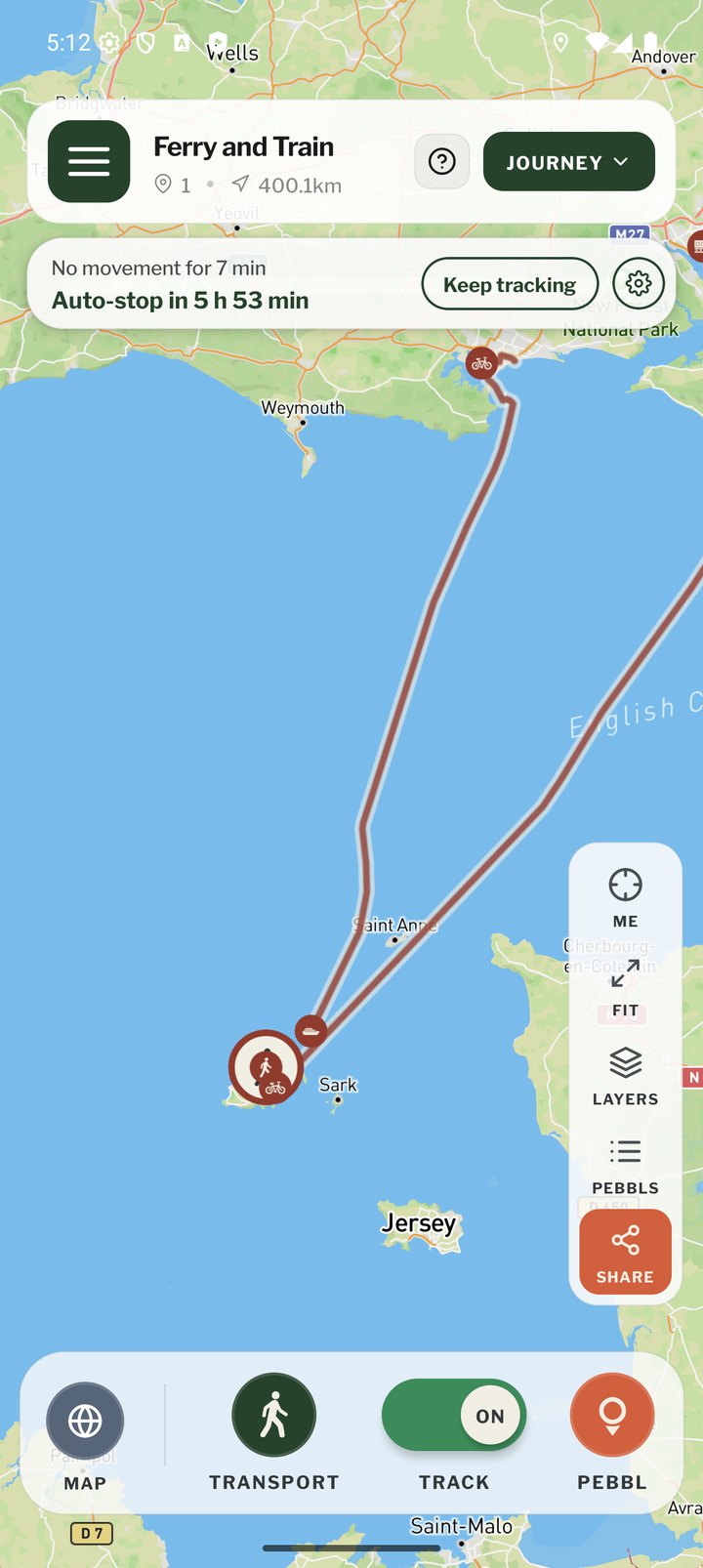
If you have not moved for a set time, Pebbls stops tracking for you so it does not run all night in a hotel or keep recording after you forgot to stop. The default is 6 hours. You get a notification before it stops with a Keep tracking button, and another when it has stopped with Resume tracking. Change the time in Location Tracking Settings or Settings › Tracking: 30 minutes, 1, 2, 6, 12, 24 or 48 hours, or Disabled.
Location Tracking Settings
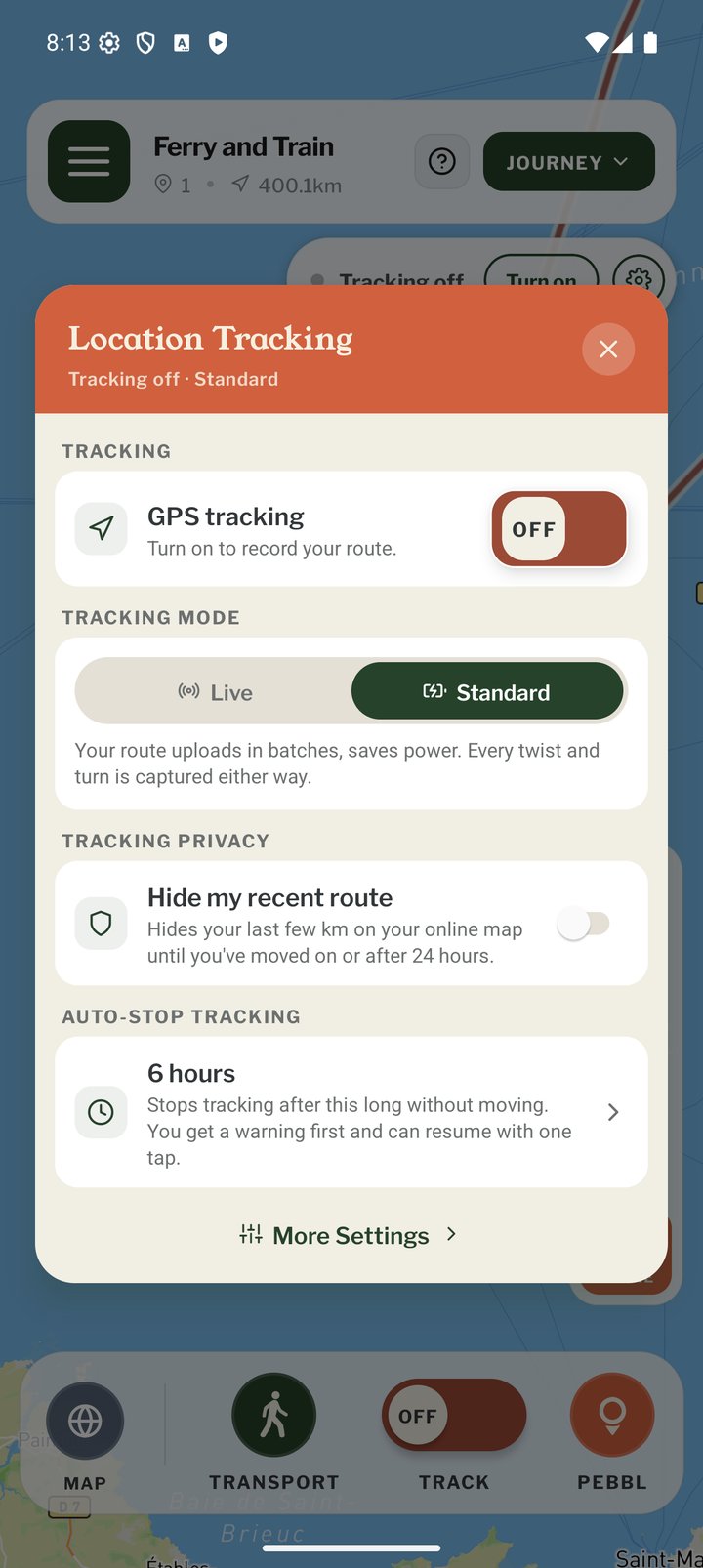
Tap the gear on the tracking status bar, or long-press TRACK, to open the Location Tracking menu. It has the GPS on/off switch, a Live | Standard mode control, the "Hide my recent route" switch (Tracking Privacy) and the auto-stop time. More Settings at the bottom takes you to the main Settings screen.
Warnings While Tracking
- Poor GPS signal: a banner on the map saying journey tracking may not work until the signal improves. Tap it for five quick tips. See "GPS Signal Tips"
- Low battery: a warning at 15%, and another when Low Power Mode is on, because phones then slow down or pause apps running in the background
- Date and time: your phone's date and time must be set to update automatically (phone Settings › Date & Time)
Battery
- Standard tracking uses less power than Live
- Keep the phone charged on multi-day trips; carry a power bank
- Do not force-close the app; leave it in the background
- Some Android brands (Xiaomi, Huawei, OnePlus) stop background apps aggressively. Turn off battery optimisation for Pebbls in the phone's settings; dontkillmyapp.com explains how for each brand