The Map Screen
Your Home Screen
In Tracking mode the app opens on the map of the chapter you are recording. Everything you need while travelling is on this one screen.
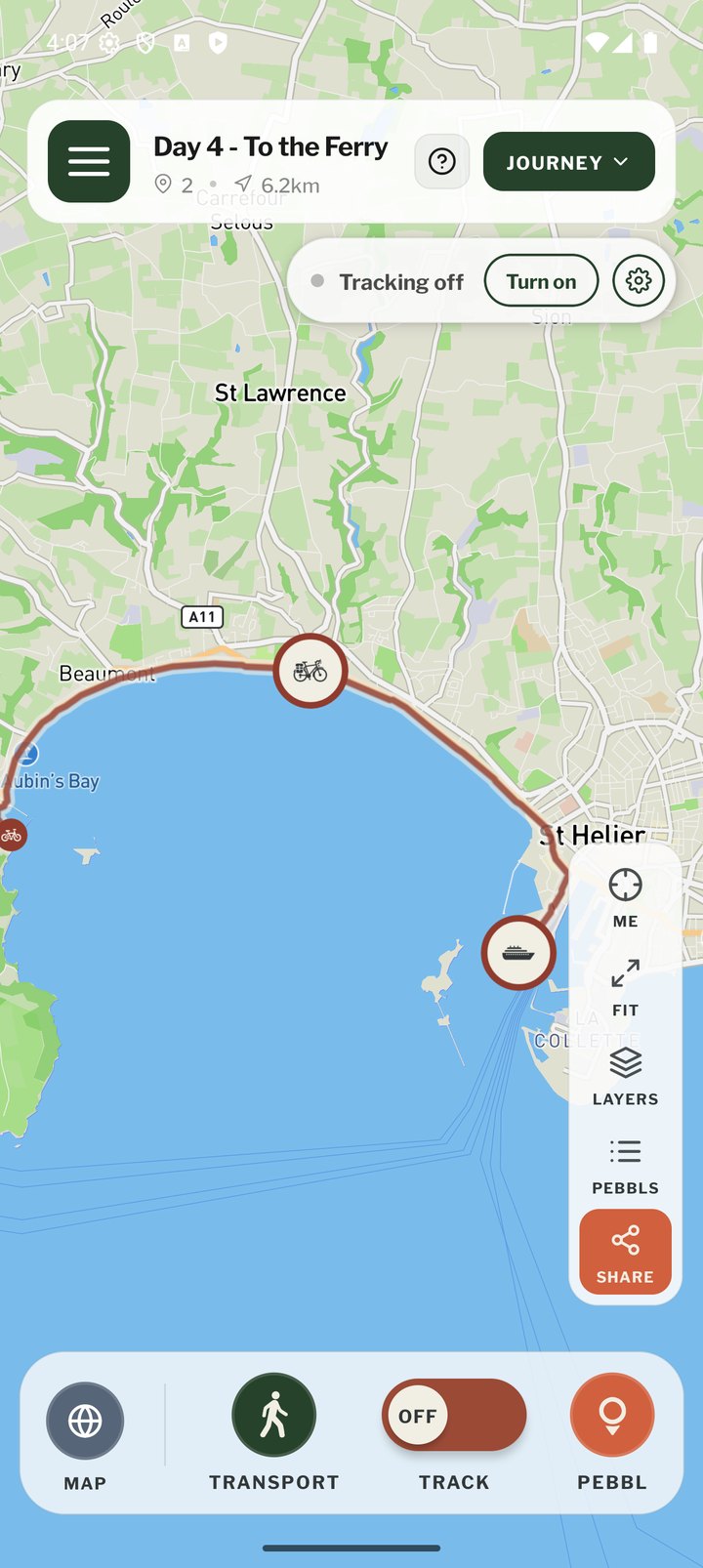
Top Bar
- ☰ Menu: opens the main menu
- Journey name, with the Pebbl count and distance of the current chapter
- Bell: your notifications. It turns orange with a number when there is something new (see "Notifications")
- ?: starts the guided tour
- JOURNEY: the journey menu (share, chapters, journey actions)
Tracking Status
Under the top bar a small status bar shows "Tracking off" with a Turn on button, or "Tracking on". The gear on the status bar opens Location Tracking Settings. While you are stationary it counts down to the automatic stop and offers Keep tracking.
Map Buttons
- ME: centre the map on your current position
- FIT: zoom out to show the whole chapter
- LAYERS: switch between the standard map and satellite imagery
- PEBBLS: list the Pebbls in this chapter
- SHARE: open the Share panel
- A compass appears when the map is rotated; tap it to face north again
Bottom Bar
- MAP: open the full journey map on the website, with every chapter
- TRANSPORT: change how you are travelling (the icon shows the current mode)
- TRACK: turn GPS recording on or off. Long-press it for Location Tracking Settings
- PEBBL: drop a Pebbl at your current location
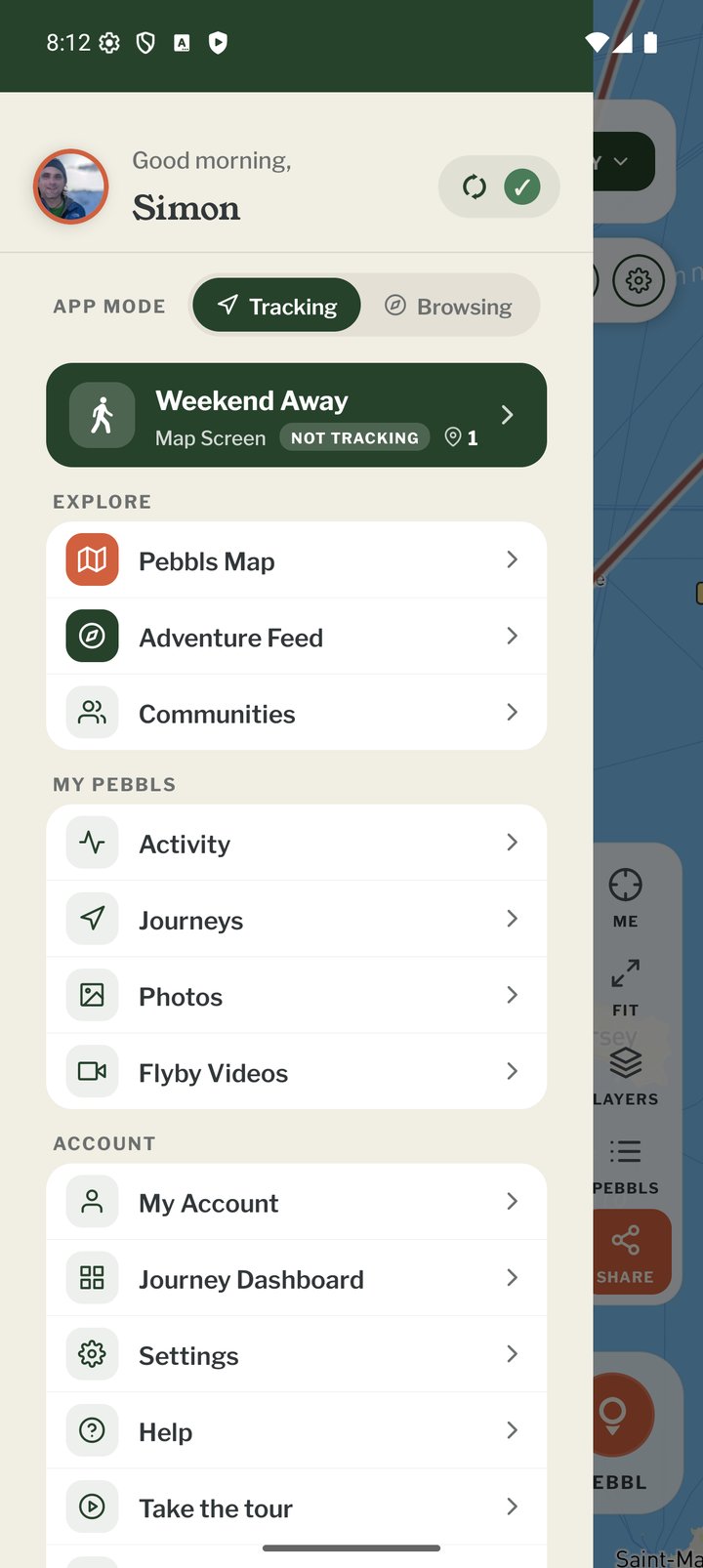
The Main Menu
The App Mode switch (Tracking or Browsing) is at the top of the ☰ menu. Below it, Explore has the Pebbls map, the feed, Flyby films and communities; My Pebbls has your posts, journeys, photos and My flyby films; Account has My Account, Journey Dashboard, notification settings, Settings, Help, Take the tour and Contact Pebbls. Log out is at the bottom.