Placing a Pebbl
What are Pebbls?
Pebbls are the pins on your map. Each one has an icon, a title, up to 5 photos or videos and a note. They are what your followers see in the feed and what makes a journey a story rather than a line on a map.
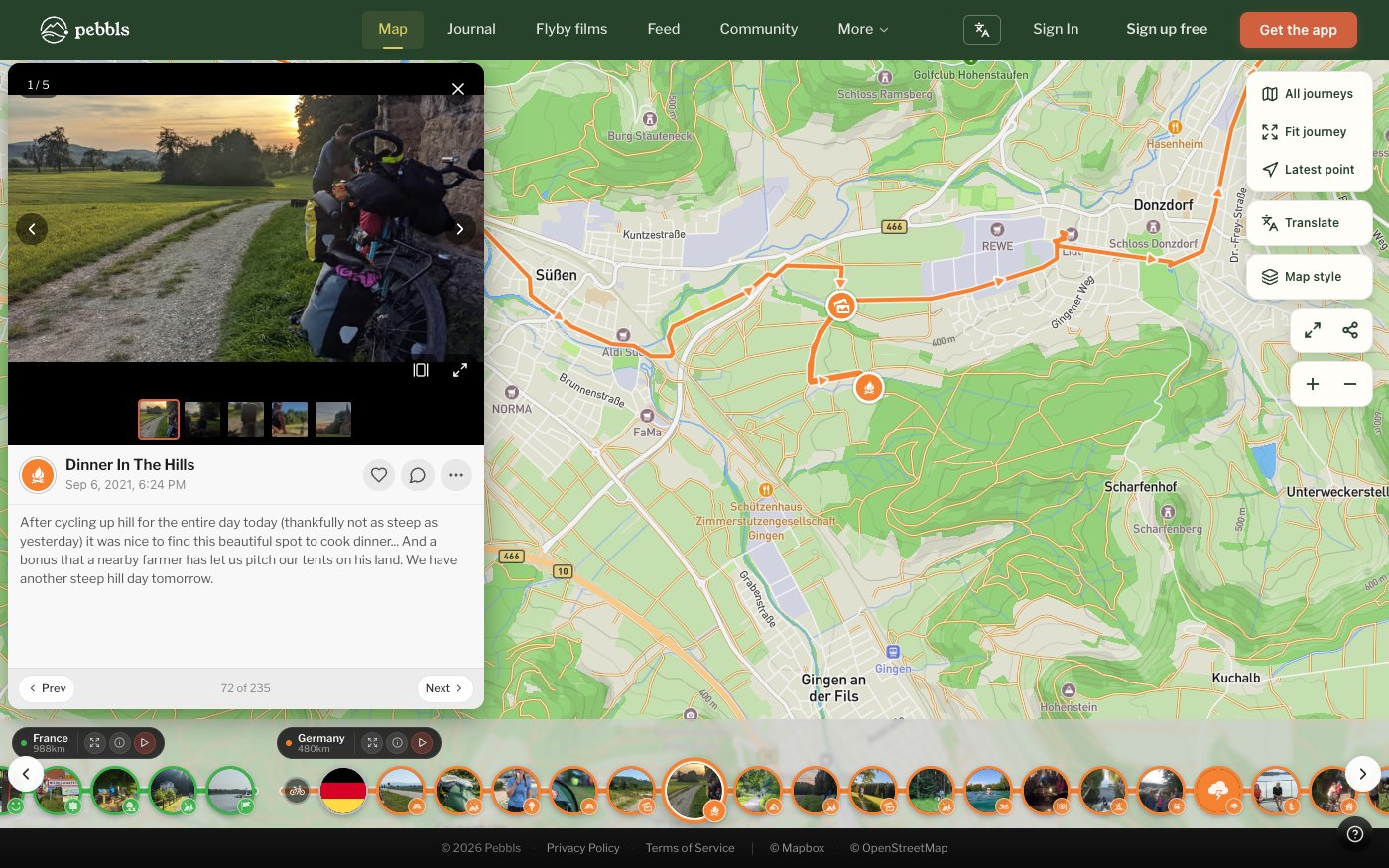
How to Place a Pebbl
Tap PEBBL in the bar at the bottom of the map screen. The Pebbl is placed at your current location and stamped with the current time; you can move it or change the time before saving.
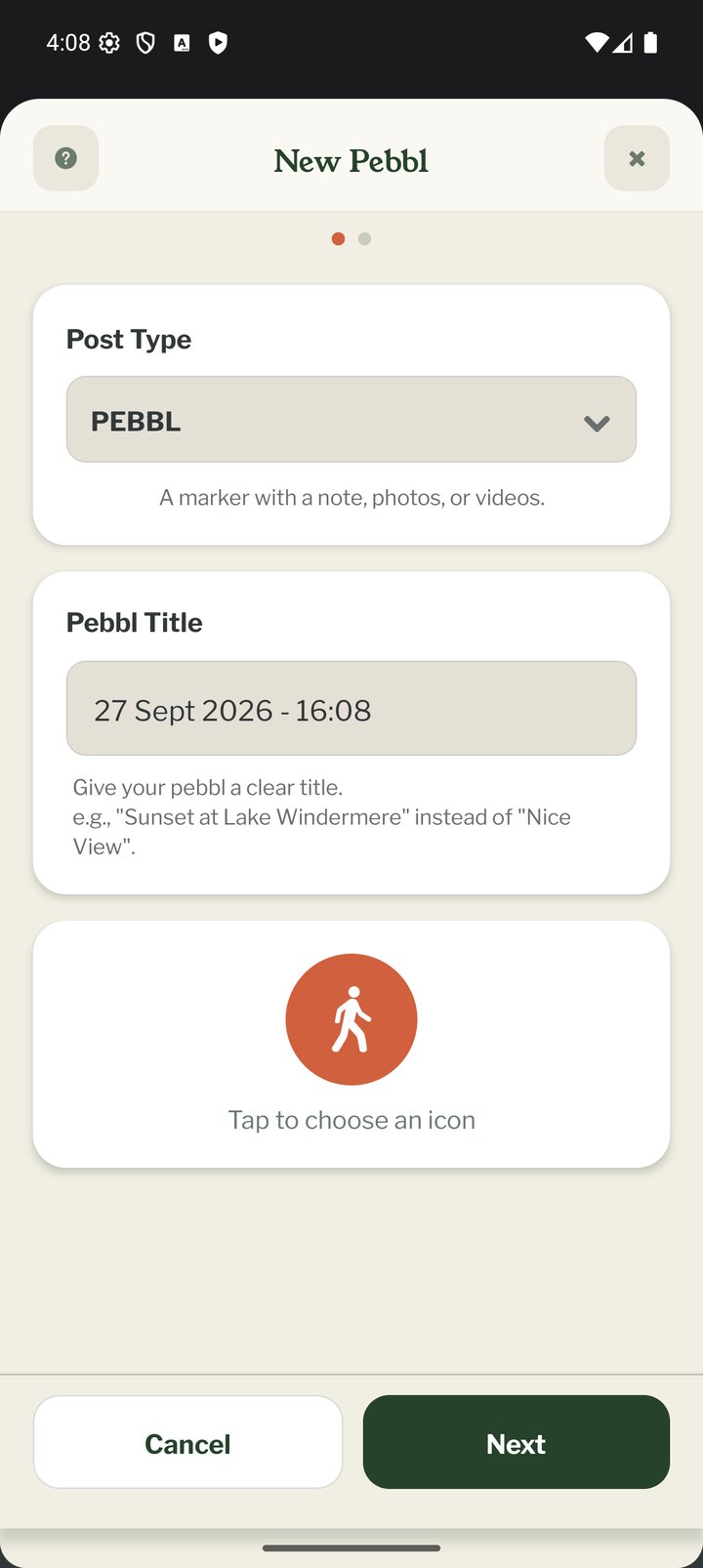
The New Pebbl Page
Everything is on one page and Save is always at the bottom.
- Photos and videos: tap Add media and choose Photo Library (the first option), Take Photo, Video Library or Record Video, or "Or browse files on your device". Up to 5 photos or videos (JPG, PNG, HEIC, WebP, GIF, MP4, MOV). Videos need an Explorer membership and must be under 195 MB. Tap a photo afterwards to add a caption, crop it or remove it
- Title and icon: a short title such as "Sunset at Lake Windermere" (up to 40 characters); left empty, the Pebbl is named after its date. Tap the icon to open the picker. Icons are grouped into Popular, Travel, Food, Nature, Flags and more, and you can search
- Note: up to 2,000 characters
- Where & when: your current location and time are filled in when the page opens. Tap Where & when to move the pin on the map, change the date, time or time zone, or mask the location. If a photo already knows where it was taken, the app offers to put the Pebbl there
- Location masking: hide the exact spot by moving the pin a random distance away. Neighbourhood moves it at least 500 m, Town 1 km, Region 3 km, Wide 10 km and Maximum 20 km
- Type, at the bottom: a normal Pebbl, a Private Pebbl (only you can see it), or a link post for a blog post, YouTube, TikTok or Vimeo video, Facebook or Instagram post, or fundraising page. A link post takes one web address of up to 200 characters. Instagram reels, TikTok share links and fb.watch links all work, and https:// is added if you leave it off
Editing or Deleting a Pebbl
Tap a Pebbl on the map, or open the PEBBLS list on the right of the map, to change its title, note, location or privacy, or to delete it. Pebbls can also be edited on the website in your Journey Dashboard. The list also has a "+ New Pebbl" button.
Empty Pebbls
A Pebbl with no photo and no note is saved on your phone but does not appear on your online map until you add something to it. Link posts are the exception: the link is enough.
Tips for Great Pebbls
Don't just drop photos. Say where you are, what happened and how you felt. Drop Pebbls often: the coffee stop, the wrong turn and the funny sign are what make a journey memorable, and they also help your chapter qualify for a flyby film.