Share Your Journey
The Share Panel
Tap SHARE on the right of the map screen. If the journey is private or password-protected a note at the top says so; then everything you can send is listed.
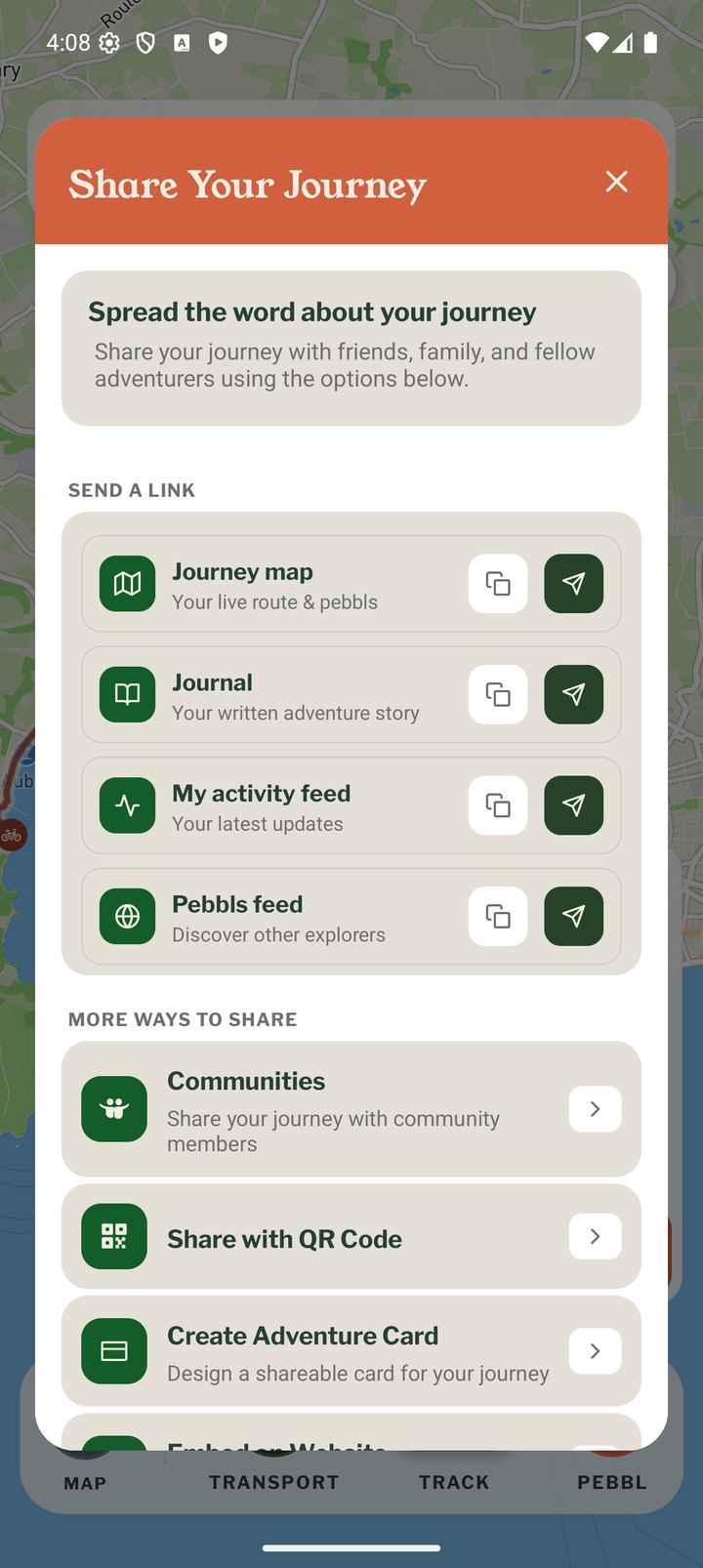
Send a Link
Each row has a copy button and a send button that opens your phone's normal Share menu (Messages, WhatsApp, email and so on).
- Journey map: your live route and Pebbls
- Journal: the written, scrollable version
- My activity feed: your latest Pebbls
- Pebbls feed: the public feed, for people who want to discover other explorers
More Ways to Share
- Communities: post the journey to a community you belong to (public journeys only)
- Share with QR Code
- Create Adventure Card
- Embed on Website and WordPress Plugin
- Download GPX (Explorer)
- Share Pebbls: share an individual Pebbl
Sharing from the Website
Every Pebbl in the feed, and every journey and chapter on the map and in the journal, has a share button with X, Facebook, WhatsApp, email and copy link. Feed Pebbls also show a QR code.
While Travelling or Afterwards
The link never changes, so share it before you set off and people can follow along, then re-share when the journey is complete. Followers with an account are notified of new chapters and Pebbls automatically.